
Download Back2zip – Free Secure Backup Tool for Windows
Overview of Back2zip
Back2zip is a lightweight, free backup utility designed specifically for Windows users who need a fast and secure way to protect their documents. Since its introduction in 2007, the program has become a trusted option in the Security Backups sub‑category, especially among users in the Russian Federation, United States, and Poland. The software’s modest footprint means it consumes far less disk space than many competing backup tools, making it ideal for older machines or systems with limited storage.
Back2zip’s current version 125.117a was last updated on July 25 2007, and it runs smoothly on Windows 98 and earlier Windows releases. Despite its age, the application continues to deliver reliable compression and encryption, ensuring that personal files, spreadsheets, and project folders are safely archived with minimal hassle. The interface is entirely in English, which keeps the learning curve shallow for a global audience.
In short, Back2zip offers a no‑cost, secure, and straightforward solution for anyone looking to back up important data without the bloat of modern commercial suites.
Key Features & Benefits
- Lightweight Architecture: The installer occupies only a few megabytes, leaving ample free space for actual backup archives.
- Fast Compression: Utilises ZIP compression to quickly shrink large document collections, reducing storage requirements.
- Basic Encryption: Provides password‑protected archives, adding a layer of security for sensitive files.
- Compatibility with Legacy Systems: Fully supports Windows 98 and earlier versions, a rare capability among modern backup utilities.
- Simple One‑Click Backup: Users can select folders and initiate a backup with a single click, eliminating complex configuration steps.
- Automatic Update Checks: Although the last official release was in 2007, the program still checks for any community‑maintained patches.
- English‑Only Interface: Clear, concise menus make navigation intuitive for non‑technical users.
- Free Distribution: No hidden fees, trial periods, or registration requirements – download and start protecting data immediately.
Beyond the listed features, Back2zip’s design philosophy emphasizes security without sacrificing speed. By relying on the proven ZIP format, the tool ensures that archived files remain accessible across a wide range of operating systems and future software versions. This forward‑compatible approach is especially valuable for businesses that need to retain documents for compliance purposes. Additionally, because the program is free and open to all Windows users, it eliminates the financial barrier often associated with enterprise‑grade backup solutions. The combination of a small footprint, easy‑to‑use interface, and core security functions makes Back2zip a compelling choice for both home users and small offices looking to safeguard their data without investing in costly alternatives.
Installation, Usage & Compatibility
Getting Back2zip up and running is straightforward. Follow these steps to download, install, and start protecting your files:
- Download the Installer: Click the “Download Back2zip” button on the official page. The file size is under 5 MB, so the download completes quickly even on slower connections.
- Run the Setup: Double‑click the downloaded
Back2zip_setup.exe. Windows may display a security prompt; confirm that you trust the source and allow the installation. - Accept the License: The installer presents a brief End‑User License Agreement. Click “I Agree” to proceed.
- Choose Installation Folder: By default, Back2zip installs to
C:\Program Files\Back2zip. You can change the location if desired, but keep in mind that the program needs write access to its folder. - Complete Installation: Click “Install” and wait a few seconds. Once finished, launch the application from the Start menu or desktop shortcut.
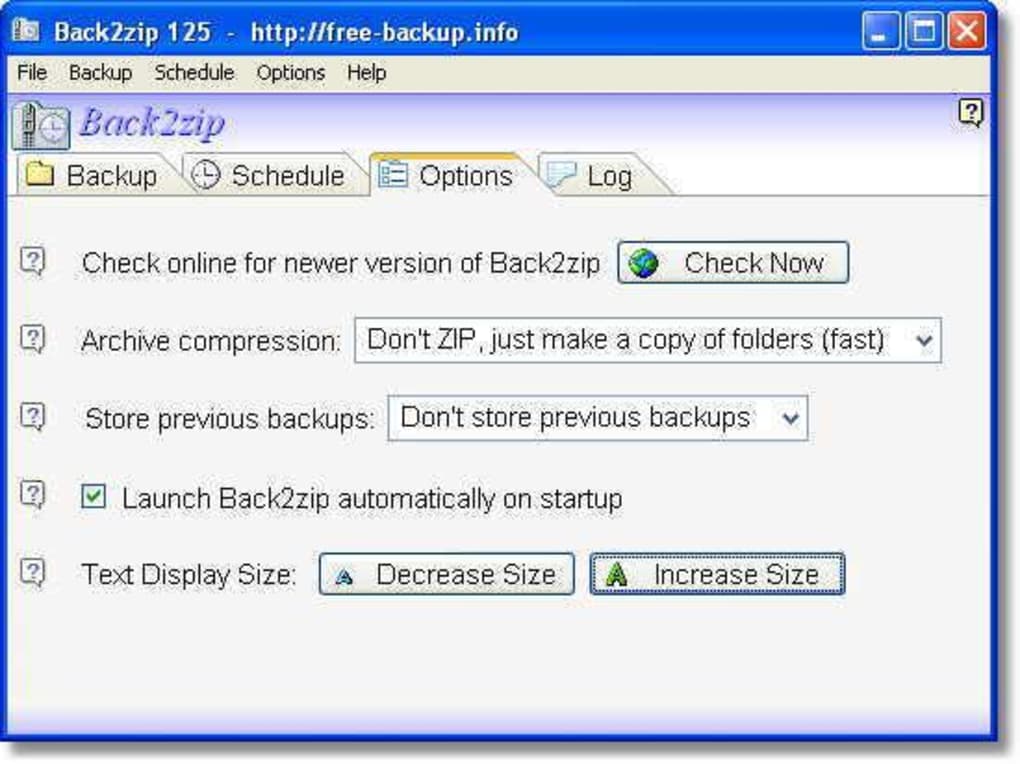
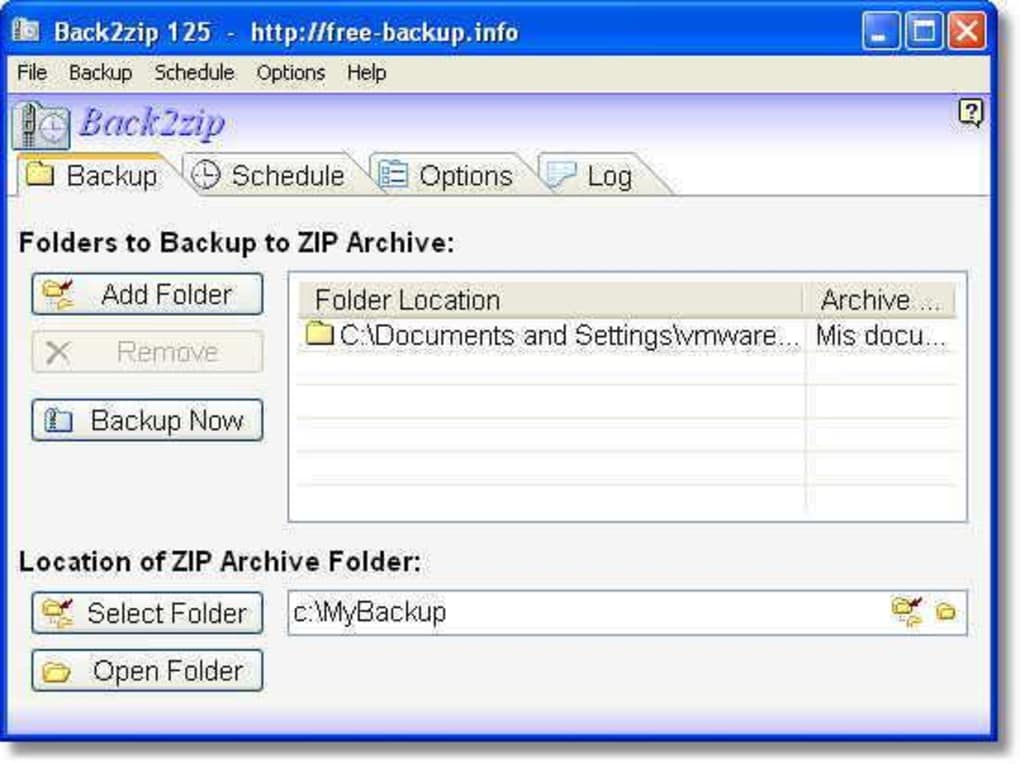
Upon first launch, the main window displays a clean layout with three primary sections: Source Folder, Destination Archive, and Actions. To back up documents, browse to the folder you wish to protect, specify a destination path for the ZIP file, optionally set a password, and press the “Create Backup” button. The process usually finishes within minutes, depending on the size of the source data.
Compatibility: Back2zip is officially supported on Windows 98, Windows ME, Windows 2000, and earlier Windows releases. It also runs on later versions (XP, Vista, 7) in compatibility mode, though newer operating systems may already include built‑in backup utilities. Because the program relies on standard Windows APIs, it does not require additional runtimes such as .NET Framework or Visual C++ redistributables, further reducing the chance of conflicts.
For users who prefer command‑line automation, Back2zip includes a simple executable that can be called with parameters to schedule regular backups via Windows Task Scheduler. This flexibility makes it suitable for both casual home users and small businesses that need a reliable, low‑maintenance backup routine.
Pros & Cons, FAQ & Final Thoughts
Pros
- Extremely lightweight – ideal for older PCs.
- Free with no hidden costs or registration.
- Simple one‑click backup workflow.
- Supports password protection for archives.
- Works on legacy Windows versions (98 and earlier).
Cons
- Last official update was in 2007; no modern UI enhancements.
- Lacks cloud integration or remote backup options.
- No granular scheduling built into the GUI (requires Task Scheduler).
- English‑only interface may limit non‑English speakers.
- Limited advanced features such as incremental backups.
Frequently Asked Questions
Is Back2zip completely free to use?
Yes, Back2zip is offered as a free download with no trial periods, licensing fees, or mandatory registration.
Can I use Back2zip on Windows 10?
While the software is officially supported up to Windows 98, it runs in compatibility mode on Windows 10. Users should enable “Run this program in compatibility mode for Windows 98/ME” in the executable’s properties for best results.
Does Back2zip encrypt my backups?
The program offers basic password protection for ZIP archives, which provides a level of encryption suitable for most personal documents. For highly sensitive data, consider using a dedicated encryption tool after backup.
How much disk space does Back2zip need for installation?
The installer is under 5 MB, and the installed program occupies roughly 10 MB, leaving the majority of your drive free for actual backup archives.
Can I schedule automatic backups with Back2zip?
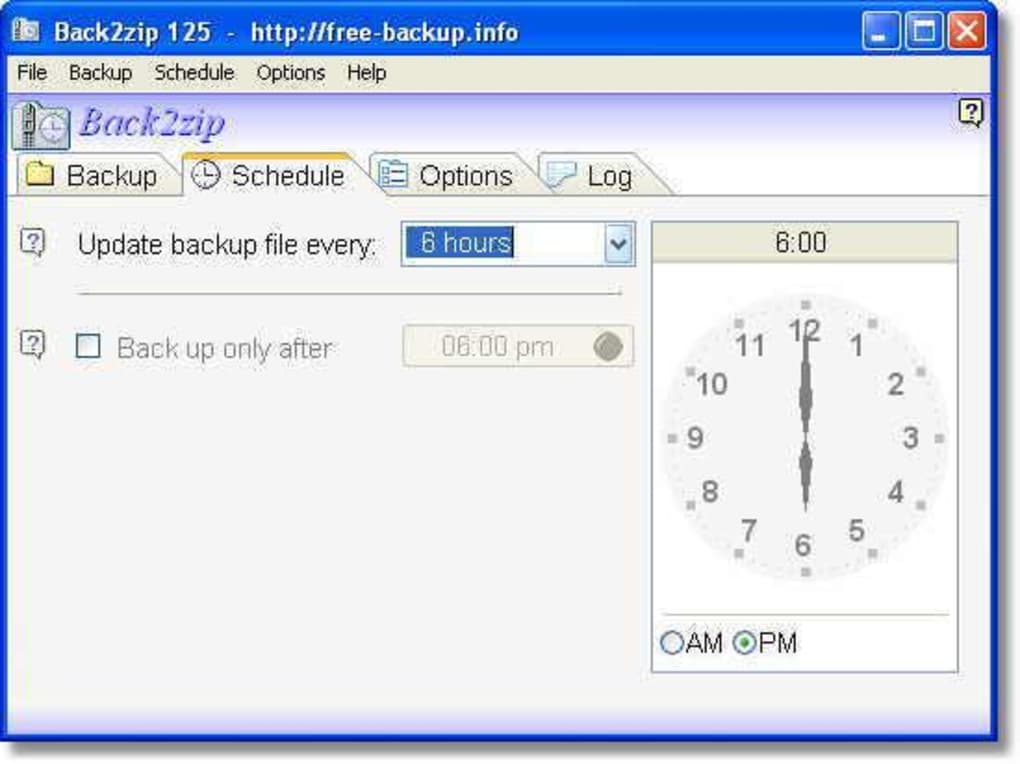
Back2zip does not include a built‑in scheduler, but you can create a scheduled task in Windows Task Scheduler that runs the command‑line version of the program at desired intervals.
Conclusion & Call to Action
Back2zip remains a solid choice for users who prioritize a minimalistic, free backup solution that works on both legacy and newer Windows environments. Its straightforward interface, quick ZIP compression, and optional password protection deliver the core security functions most home users need without the overhead of subscription‑based services. While it lacks modern bells and whistles such as cloud sync or incremental backups, the program’s reliability and tiny footprint make it an excellent supplemental tool for safeguarding critical documents.
If you’re looking for a no‑cost, easy‑to‑install backup app that won’t hog system resources, download Back2zip today and start protecting your files instantly. Simply click the download button below, follow the quick installation steps, and enjoy peace of mind knowing your documents are securely archived.
Download Back2zip – Free Secure Backup






